Count your waka
See your daily steps and follow your progress with your phone's walking sensor.
 WakaSteps👣
Meet WakaSteps — a friendly Android step-counting app with a Nigerian Pidgin personality. Track your steps, celebrate your progress, and move at your own pace. No pressure. No shame. Just waka!

Simple tools, encouraging words, and an Ocean Breeze feeling.
See your daily steps and follow your progress with your phone's walking sensor.
Pick the daily goal wey work for you. Every waka dey count!
Explore walking history, progress, and streaks.
Back up and restore your waka history and settings using a local file.
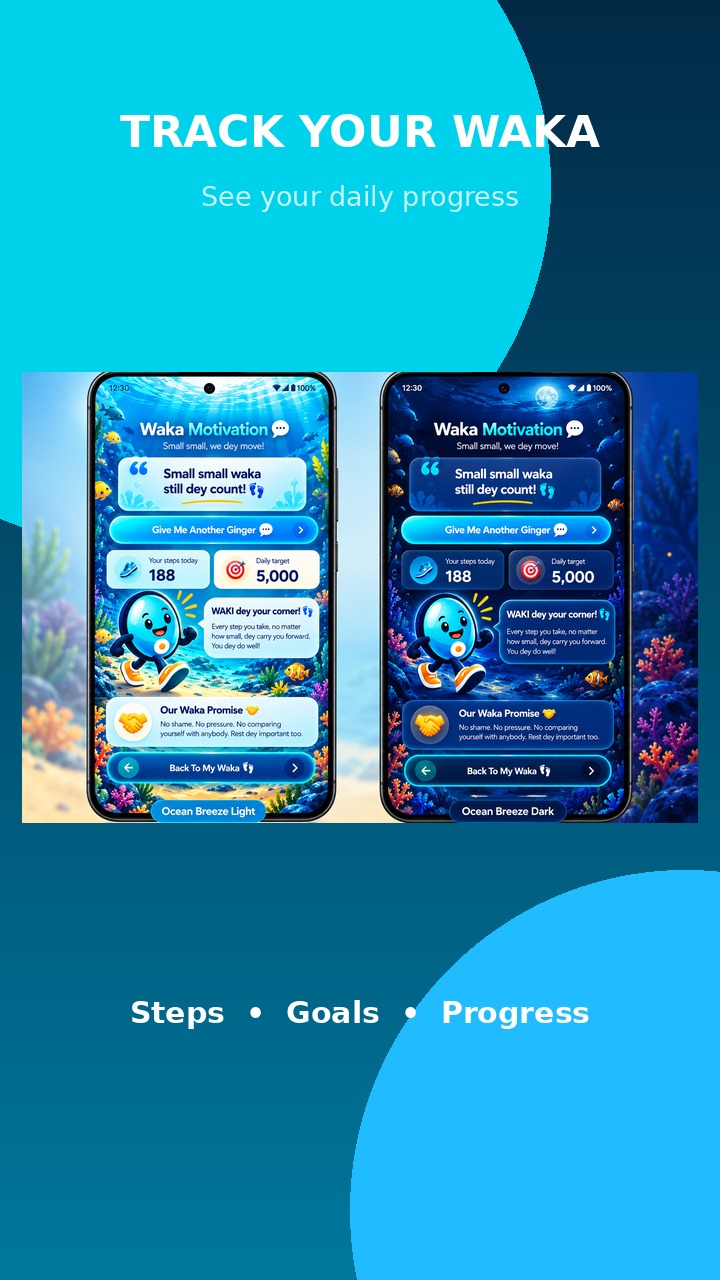
Enjoy fresh light and cozy dark appearances.
No account or internet connection required for step tracking.
Meet WAKI and discover what makes every waka worth celebrating.
Save your walking history and settings using Settings → About WakaSteps → Your Waka History → Back Up My Waka Data. Restore on another Android device with Restore My Waka Data.
Explore the WakaSteps PDF showcase, now including a step-by-step guide to backing up and restoring your history.


Download the WakaSteps APK directly from this website. No link shorteners or third-party file sharing needed.
Download WakaSteps directly from our website. Make your waka begin!
View the illustrated installation guide (PDF) ↗
Back up your data in Settings → About WakaSteps → Your Waka History. Save the JSON file somewhere safe, then restore it on another Android device when needed.